


Alarm Clock Launcher
4.23.40K Reviews
App Specs
- Version
- 3.20.0
- Updated On
- License
- Free
- Downloads
- 1,000,000+
- Developer
- AtomApplications
- Categories
- Productivity
- Platform
- Android
Screenshots

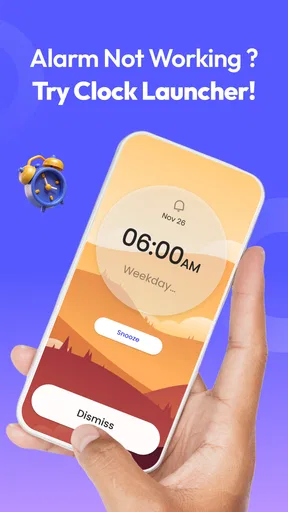
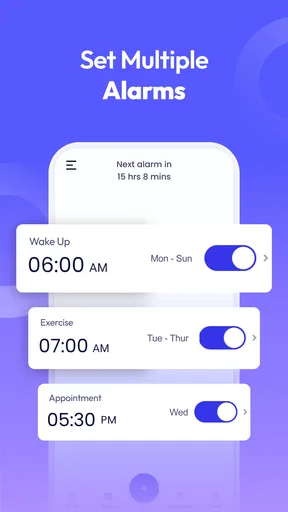
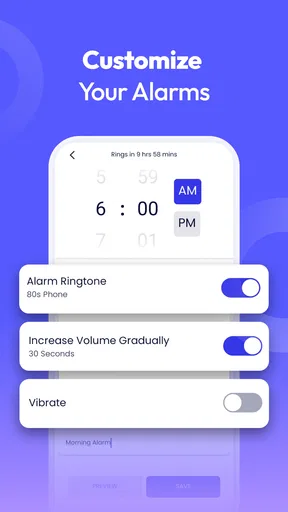
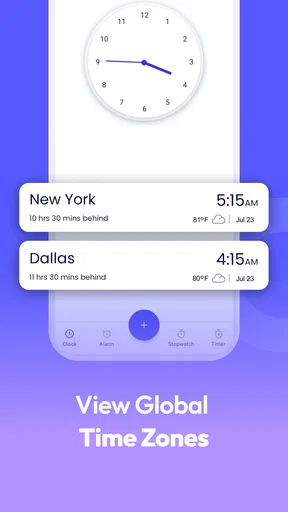
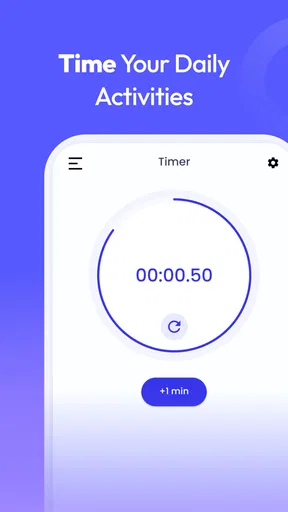
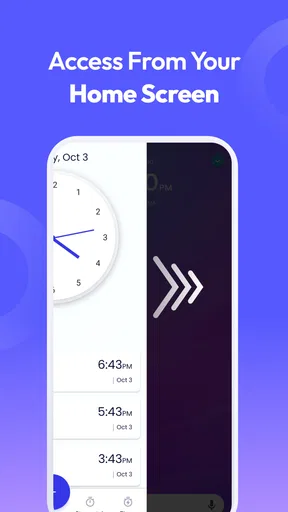
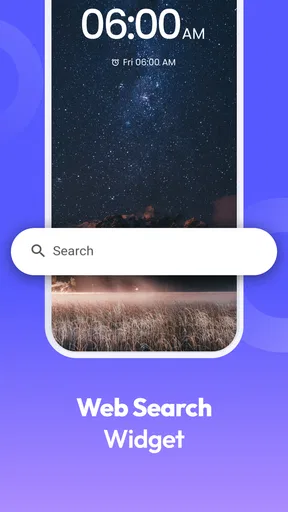
 Analysis by AppCompare
I judge an alarm app by what happens in the first few minutes after it rings: can I get moving without hunting through my phone, and does the routine feel helpful rather than bossy? Alarm Clock Launcher is aimed at people who want their wake-up alarm to lead into the next part of the morning, not just make noise. That small difference matters if you tend to silence an alarm and then lose time deciding what to do next.
Choose based on the morning you actually have
Before switching, I’d ask whether your main problem is waking up, remembering tasks, or getting from bed to your first useful action. A basic clock is usually enough if all you need is a reliable alarm. A task manager is better for planning work across the day. This app occupies a narrower middle ground: it is a productivity app built around an alarm-clock routine, with reminders and app launching in the mix.
That makes it most appealing when the same few actions recur every morning. If you check a particular app, review the day, or want a prompt to begin a habit, connecting those steps to your wake-up routine can cut down on aimless scrolling. I would not choose it as a replacement for a full calendar or task system; it is better treated as a morning starting point.
Where the launcher earns its place
The useful idea here is the handoff from alarm to action. Rather than relying on yourself to remember what to open after waking, you can arrange a sequence around apps you already use. That can be a practical nudge for someone who wants to check the weather before getting dressed or open a reading or fitness app before the day becomes busy. The benefit is not that the phone decides what matters; it is that you make the next step easier to begin.
For example, picture a weekday when you need to leave on time. You silence the alarm, then use the planned sequence to check the information you normally look for and move toward getting ready. The best version of this routine is short. I’d avoid lining up too many apps, because a long chain can turn an alarm into an invitation to linger on the phone. Pick only the actions that help you leave the bedroom and start the day.
What to expect from a focused tool
AtomApplications makes this free app, and it has an average rating of 4.2 from around 13,000 ratings, with more than a million installs. Those figures suggest it has found an audience, but they do not tell me whether its approach will suit your habits. Its age rating is Everyone, and the current version is 3.16.0. I’d think of those details as context rather than a reason on their own to change the alarm routine that already works for you.
A practical trade-off is that a launcher-led alarm is only useful when its scheduled actions fit your real mornings. If your start time changes often, a fixed sequence may feel like another thing to manage. If you work shifts, travel between time zones, or need several separate routines, take a moment to check that the way you set alarms and reminders matches those patterns before depending on it. The app’s purpose is clear, but the routine still needs your judgment.
Worth Reading Before You Choose

EA SPORTS FC Mobile 26 Is a Bigger Football Game, but It Takes Time

Flipboard Shows What News Apps Must Do Beyond the Feed

Switching to Android Auto Means Rethinking Your Driving Routine

Google Calendar Makes a Crowded Week Easier to Manage

Ludo King Makes the Most of the Minutes Between Plans

Baby Panda World Brings Quick Play to Modern Phones, but Its Game Library Feels Busy
Wake Up With a Plan
So, what’s the deal with this app? Essentially, the Alarm Clock Launcher is more than just a digital rooster. Sure, it wakes you up, but it also launches your favorite apps as part of your morning routine. Imagine setting your alarm, and as soon as you hit snooze, your phone automatically opens your email, weather app, or even your favorite playlist. I mean, talk about waking up on the right side of the bed!
Features That Make Life Easier
Let’s dive into some of the standout features. First off, the app allows you to customize your wake-up sequence. You can choose which apps to open and in what order. It’s super intuitive and doesn’t require a tech wizard to set up. Just a few taps, and you’re good to go.
Another cool feature is the ability to set different profiles for different days. Maybe you want a more relaxed start on weekends with a yoga app and soft music, while weekdays might call for news updates and a strong cup of coffee reminder. This app adapts to your lifestyle effortlessly.
Smooth User Interface
Let’s talk about the user interface. It’s clean, minimalistic, and easy to navigate. No frills, no fuss. You won’t find yourself lost in a sea of settings. Everything is laid out clearly, making it a breeze to set up and adjust your alarms and app launches.
And for those of us who are perpetually running late, there’s a nifty feature that integrates with your calendar. It can give you a heads-up about your first meeting or remind you of that workout session you promised not to skip. It’s like having a little nudge to keep you on track.
Compatibility and Download
Alarm Clock Launcher is free and was released on January 17, 2023. The listed minimum operating-system requirement is version 10, so I’d check that your device meets it before planning to rely on the app each morning. This is an Android app, and the current release is 3.16.0. If you are moving from another clock, the sensible approach is to set up one alarm first and test the routine while your existing alarm remains available as a backup.
Once you’ve downloaded it, setting it up is a matter of minutes. The app gives you a brief tutorial, and you’re ready to rock and roll. It’s compatible with most smartphones, and I haven’t run into any bugs or crashes, which is always a relief.
When another kind of app is better
If your priority is a bare-bones alarm with as few steps as possible, your phone’s built-in clock may be the better fit. If you need to manage deadlines, recurring chores, and projects throughout the week, a dedicated planner or reminder tool is likely to give you a more suitable overview. And if you prefer to keep your phone out of reach at night, a routine that asks you to interact with it as soon as you wake may work against that goal.
I’d also be cautious about making the sequence too tempting. Opening email or news first thing can turn a quick check into a long scroll, especially when you are still half awake. A useful setup might prioritize one necessary check and a clear next action, rather than several feeds. That is a small but important distinction: the app can help you start a routine, but it cannot decide whether the routine protects your attention.
Make the switch without disrupting your mornings
Changing alarms has a real cost if the new setup fails on a day when you cannot afford to oversleep. I would try the app on a low-stakes morning before removing an alarm you already trust. Set a simple routine, confirm that the selected apps are the ones you intend to open, and see whether the sequence feels natural when you are tired. If it adds friction, simplify it instead of adding more steps to compensate.
It is also worth deciding what should happen on weekends before creating separate patterns. Different day profiles can be useful when your schedule genuinely changes, but they can become confusing if you keep adjusting them without a clear rule. I’d use one profile for a repeatable weekday rhythm and another only if the weekend routine is meaningfully different. That keeps the setup easier to remember and makes it less likely that a late start is caused by an alarm arrangement you forgot you changed.
Who I’d recommend it to
I can see this working well for students who want a repeatable start before classes, or for people who need a gentle prompt to move from waking up to checking a specific part of their day. It may also suit anyone who already relies on a handful of apps each morning and wants those actions organized around the alarm instead of scattered across the home screen. The advantage is most noticeable when the routine is stable enough to plan but not so complicated that it needs a full scheduling system.
I’d skip it if you want an alarm that does nothing beyond ringing, if you dislike opening your phone immediately, or if your schedule changes too much for a planned sequence to stay relevant. It is also not a substitute for remembering to prepare the night before. If the morning depends on packed bags, medication, or other important tasks, keep those reminders in a system you already trust rather than assuming an alarm routine will cover every responsibility.
Why You’ll Love It
Here’s the thing: this app is all about making mornings smoother and more efficient. If you’re like me and often find yourself groggy and disoriented after waking up, the Alarm Clock Launcher is a game-changer. It turns the chaotic morning rush into a well-orchestrated symphony.
Whether you’re a busy professional, a student with back-to-back classes, or simply someone who values a structured start to the day, this app offers a personalized experience that caters to your needs. Plus, it’s nice to have your essential apps up and running right as you wake up!
In conclusion, the Alarm Clock Launcher is a handy tool that goes beyond the simple task of waking you up. It integrates seamlessly into your daily routine, making it easier to start your day on the right foot. If you’re looking to add a bit of harmony to your mornings, give this app a try. You might just find it becomes an indispensable part of your daily life.
Pros
- Intuitive and user-friendly interface.
- Customizable alarm tones and themes.
- Snooze options for heavy sleepers.
- Integrates with calendar events.
- Low battery usage
- efficient performance.
Cons
- Limited free features
- requires purchase.
- No sleep tracking functionality.
- Ads can be intrusive at times.
- Requires internet for some features.
- Lacks advanced alarm settings.
FAQs for Alarm Clock Launcher
What features does Alarm Clock Launcher offer?
Alarm Clock Launcher provides a range of features designed to enhance your waking experience. It includes multiple alarm settings, customizable snooze options, and a variety of alarm tones. Additionally, it offers smart wake-up settings, a built-in timer, and a stopwatch. Users can also integrate their favorite music playlists and use the app’s gentle wake-up feature to start the day smoothly.
Is Alarm Clock Launcher free to use?
Alarm Clock Launcher offers both free and premium versions. The free version includes basic alarm functionalities, while the premium version unlocks advanced features such as ad-free usage, additional alarm tones, and enhanced customization options. Users can choose to upgrade within the app to access these premium features.
How user-friendly is Alarm Clock Launcher for beginners?
Alarm Clock Launcher is designed with user-friendliness in mind. Its intuitive interface allows users to easily set and manage alarms without any technical hassle. The app provides a simple setup wizard for first-time users and has clear instructions for customizing settings, making it accessible to users of all experience levels.
Does Alarm Clock Launcher support integration with smart home devices?
Yes, Alarm Clock Launcher supports integration with various smart home devices. Users can connect it with smart speakers and lights to enhance their wake-up routine. The app allows users to automate morning routines, like gradually increasing light intensity or playing music through smart speakers, ensuring a seamless start to the day.
Can Alarm Clock Launcher run in the background?
Alarm Clock Launcher is designed to run efficiently in the background. It ensures alarms go off even when the app is not actively open, as long as the device is powered on. The app also optimizes battery usage to minimize drain, making it reliable for daily use without impacting device performance.


